

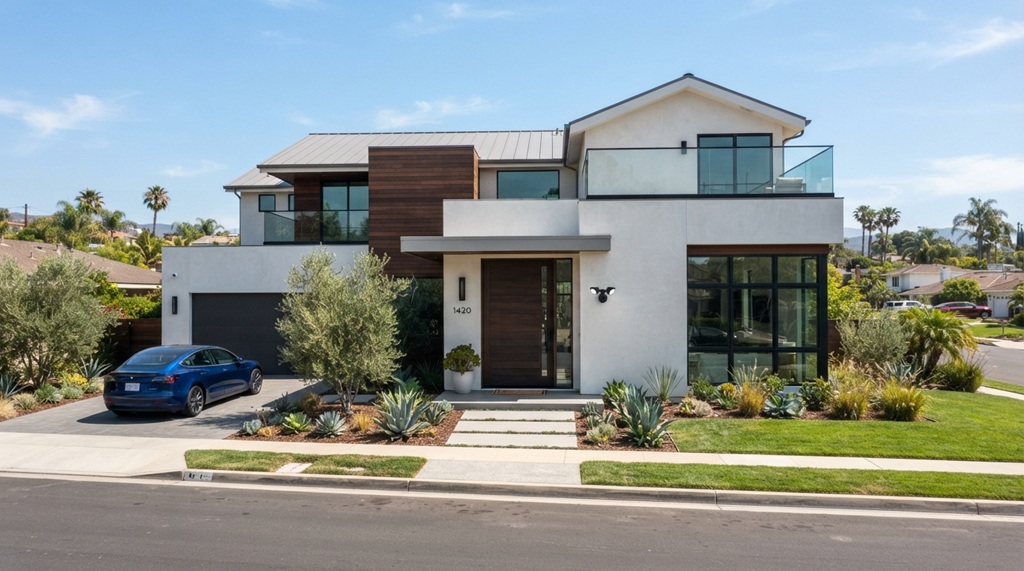
California homeowners face a unique security challenge. From the bustling streets of Los Angeles to the quieter suburbs of Sacramento and the wildfire-prone hills of Sonoma, the Golden State’s diverse geography and high property values demand a surveillance solution that is more than just a gadget. You need a system that withstands extreme heat, provides clear night vision, and offers reliable mobile alerts. But with hundreds of models on the market, how do you cut through the noise to find the best smart security cameras california actually needs? This guide breaks down the critical factors for the Californian climate and lifestyle, compares top contenders, and helps you make a purchase you won’t regret.
Key Takeaways
- Focus on cameras with an operating temperature range that handles California’s extreme heat (above 110°F) and coastal humidity without performance drops.
- Prioritize local storage or subscription-free plans if you live in remote areas with unreliable Wi-Fi, common in rural Northern California.
- Look for cameras with smart detection features to reduce false alerts caused by wildlife, fog, and constant sun glare.
- Ensure your camera has strong encryption and two-factor authentication to protect your privacy in a state with strict data regulations.
- Determine whether you need a battery-powered, wire-free setup for rental properties or a hardwired system for continuous recording on large estates.
Understanding California’s Unique Security Requirements
When shopping for a security camera in California, you aren’t just looking for a lens and an app. You are buying a piece of hardware that must survive specific environmental stressors. Unlike the Midwest’s cold winters or the Northeast’s wet springs, California presents a different set of challenges that directly impact camera longevity and performance.
The Heat Factor and Direct Sunlight
If your camera sits in direct sunlight in Fresno or Riverside, surface temperatures can easily exceed 140°F. Most cameras are rated for operation up to 120°F, but that is the ambient air temperature, not the surface temp of the device casing. You need to look for cameras with a wide operating temperature range and, ideally, a design that shades the lens. Plastic housings can warp, and lithium-ion batteries degrade significantly faster in high heat. Consider cameras with metal housings or those specifically rated for extreme weather to avoid mid-summer failures.
Wildfire Smoke and Fog
Coastal fog in San Francisco and smoke from wildfire seasons in Napa can wreak havoc on standard motion sensors. Passive infrared (PIR) sensors often struggle to differentiate between a patch of moving fog and a person. Look for cameras that offer advanced pixel analysis or radar-based detection to minimize false notifications. This isn’t just a convenience feature; it prevents “alert fatigue,” where you stop checking your phone because the app is constantly pinging you about a cloud passing by.
Wired vs. Wireless: A Critical Decision for Californians
One of the biggest mistakes buyers make is choosing a camera type before considering their home’s infrastructure. In older California homes—especially those with stucco walls—running Ethernet cables can be a nightmare. Conversely, wireless cameras may not be reliable if you live in a canyon or a rural area where mesh Wi-Fi signals struggle to penetrate thick adobe or concrete walls.
Battery-Powered Cameras for Renters and Flexibility
If you rent an apartment in San Diego or Los Angeles, hardwiring a camera is likely prohibited. Battery-powered cameras, like those offered by Arlo and Blink, offer a screw-in installation that is easy to reverse. However, keep in mind that in California, high heat drains batteries faster. You may be replacing or charging batteries every four to six weeks rather than every three months, depending on the traffic passing by your front door.
Hardwired Systems for Continuous Surveillance
For homeowners who want a permanent solution, Power over Ethernet (PoE) systems provide superior reliability. They offer continuous recording without the gap that occurs when a battery camera recharges. They also typically offer much higher video quality and longer recording retention on the local device. While the installation is more involved, these systems are less likely to be jammed by Wi-Fi interference—a security vector that is often overlooked in favor of convenience.
Critical Features to Prioritize for Local Peace of Mind

Stepping beyond battery life and weather resistance, the software and video quality are where the best smart security cameras california buyers choose separate themselves from the average consumer. You need specific features to handle the unique lighting conditions of the Golden State.
High Dynamic Range (HDR) for Harsh Shadows
California is known for its brilliant sunshine, but that creates harsh shadows on property lines. A standard camera will struggle to expose the face of a person standing in the shade while the sun blazes behind them. You need a camera with HDR or Wide Dynamic Range (WDR). This feature merges multiple exposures in real-time to ensure you can actually identify a face, rather than just a dark silhouette, even when the sun is glaring directly into the lens.
Motion Detection Accuracy
We already touched on fog, but consider the “California Landscape” problem: palm fronds swaying, bougainvillea bushes shaking, and wildlife like coyotes or raccoons wandering through. The best cameras pack enough onboard processing to distinguish between a 40-pound coyote and a 180-pound human intruder. Look for cameras with “Pet Detection” versus “Person Detection” and test the sensitivity settings. Ensure the camera allows you to set specific “Activity Zones” so you can block out the busy sidewalk across the street while monitoring your driveway.
Local Storage and Privacy Compliance
With California’s strict privacy laws (like the California Consumer Privacy Act), you should be wary of cloud-only recording setups. Many users prefer microSD card slots or Network Video Recorders (NVRs) that keep footage off third-party servers. This not only protects your privacy but also saves you from recurring subscription costs. Always check the encryption standards—you want a 256-bit AES encryption both in transit and at rest.
Speak Up and Screen Visitors: The Critical Role of Audio in Home Security
While high-definition video captures critical footage, real-time audio is often the deciding factor in stopping a threat before it escalates. In regions facing high rates of package theft, two-way audio transforms a passive camera into an active deterrent—allowing you to direct delivery drivers to secure drop-off spots or warn trespassers that local authorities have been notified. This interactive capability extends inside the home as well; while outdoor coverage focuses on deterrence, indoor placement demands clear sound and responsive controls to monitor sensitive areas. For specialized uses like keeping an eye on a sleeping child or managing a busy playroom, exploring the best indoor baby cameras for monitoring your nursery ensures you get clear noise detection and instantaneous talk-back tools tailored specifically for family care.
Two-Way Audio vs. Alarm Sirens
Ensure the camera has a noise-canceling microphone. In windy coastal areas, if the mic isn’t insulated, the person you’re talking to will only hear a wooshing sound. Additionally, look for a built-in siren. A loud siren triggered remotely is significantly more effective at discouraging a break-in than a continuous LED light flash. This is particularly useful in detached garages where you might not hear a window being forced open from the main house.
The Top Camera Types and Recommended Use Cases
To simplify your decision, here’s a comparison of the main form factors and where they are best suited in a California context.
| Camera Type | Best For | Pros | Cons |
|---|---|---|---|
| Video Doorbells | Front doors and package monitoring | Offers a first line of defense; catches package thieves in the act; provides two-way audio with visitors. | Frequently hidden by porch pillars; limited field of view; often needs a chime bypass kit. |
| Wireless Pan-Tilt-Zoom (PTZ) | Backyards, driveways, and large open spaces | Can rotate to follow motion; you can scan the yard without buying multiple cameras; flexible installation. | Moving parts may wear out in dusty/dry climates; higher battery drain; generally costlier. |
| Floodlight Cameras | Driveways, alleyways, and dark paths | Combines bright LED lighting with cameras; acts as a massive visual deterrent; easy to wire into existing lighting. | Requires hardwiring; can be overkill for small apartments; heat from the floodlight can affect the camera lens. |
| Indoor Cameras | Living rooms, nurseries, and home offices | Very affordable; often have privacy shutters; catches internal clutter issues or caregiver visits. | Limited weather protection; won’t help catch an intruder before they enter the home. |
Subscription Costs: The Hidden Calculator
In California, the cost of living is high, and the last thing you need is a hidden fee locking up your footage. When comparing the best smart security cameras california, you must add up the long-term cost of cloud storage.
Calculating the Total Cost of Ownership
A camera might cost $200, but if the app won’t let you view clips older than 24 hours without a $15/month subscription, you are paying approximately $180 per year. To bypass this, look for cameras that support RTSP (Real-Time Streaming Protocol) or ONVIF (Open Network Video Interface Forum). These open standards allow you to connect the camera to a free recording service, like Frigate or Blue Iris, running on your own computer. This gives you a DIY cloud, eliminating subscription fees entirely—a massive financial win over the three-to-five-year lifespan of the camera. While doing your research, make sure to check a practical comparison resource that covers the best smart security cameras california currently available to see which models offer these open protocols.
Common Mistakes to Avoid When Buying in California
Many consumers regret their purchase within a week of installation. Here are the most common pitfalls specific to this state and how to avoid them.
- Ignoring the Wi-Fi Channel: In dense neighborhoods like those in the Bay Area, your Wi-Fi is competing with dozens of neighbors. Opt for a camera that supports 5GHz networks, not just 2.4GHz, to avoid constant disconnection.
- Overlooking the Recharge Time: Battery cameras in high-traffic areas may need weekly recharges. If you have a large property, your “wireless” camera may become a “ladder-climbing” chore.
- Choosing Resolution Over Field of View: A 4K camera with a narrow 60-degree lens is useless. Aim for at least a 130-degree diagonal field of view. For a wide driveway, 4K is pointless if you can’t see the edges of the property.
Frequently Asked Questions
Do I need a license to install security cameras in California?
No. You do not need a license to install cameras on your own property. However, the footage is subject to California Penal Code 632, which requires all parties to consent to audio recording. You must avoid recording audio of neighbors in spaces where they have a “reasonable expectation of privacy.”
Can I point my security camera at my neighbor’s property?
Technically, you can aim at public streets, but you cannot point the camera into a neighbor’s window, backyard, or private area. This is considered an invasion of privacy. Angle the camera carefully to only cover your own property lines.
Are battery-operated cameras affected by the California heat?
Yes. Heat accelerates battery drain significantly. In temperatures above 90°F, lithium-ion batteries lose capacity rapidly. If you must buy a battery camera, ensure it has a removable battery so you can swap them quickly if one overheats and depletes fast.
What is the ideal resolution for identifying a license plate?
For reading license plates reliably, you generally need 4K resolution with a zoom lens. Standard 1080p cameras will usually only capture a blurry reflection, especially at night when headlights create glare.
Do smart cameras work during public safety power shutoffs?
Only if they have a battery backup. During California’s wildfire prevention Power Safety Shutoffs (PSPS), your Wi-Fi router will also be down. You will need a UPS (Uninterruptible Power Supply) for your router to keep the camera connected or rely on the camera’s local microSD recording during the outage.
Conclusion
Selecting the right security camera in California isn’t about buying the most expensive model—it’s about buying the most resilient one. You need a device that handles the heat, offers sharp HDR to cut through sun glare, and respects your privacy without a mandatory subscription. Whether you choose a simple battery-operated doorbell or a comprehensive multi-camera PoE system, prioritize the environment and your internet infrastructure before the fancy AI features. By focusing on weather ratings, local storage, and open protocols, you will secure your home without the recurring fees and connectivity headaches that frustrate so many users. Take your time, measure your field of view, and choose a system that grows with your needs.